![Lattice_Logo_Main_Black-Mar-28-2025-12-20-22-7020-PM.png]](https://support.latticetraining.com/hs-fs/hubfs/Lattice_Logo_Main_Black-Mar-28-2025-12-20-22-7020-PM.png?width=240&height=100&name=Lattice_Logo_Main_Black-Mar-28-2025-12-20-22-7020-PM.png)
You will need to use login credentials in a few different places:
It's important to remember that these credentials are not interchangeable and should be set up separately.
My account (for our website)
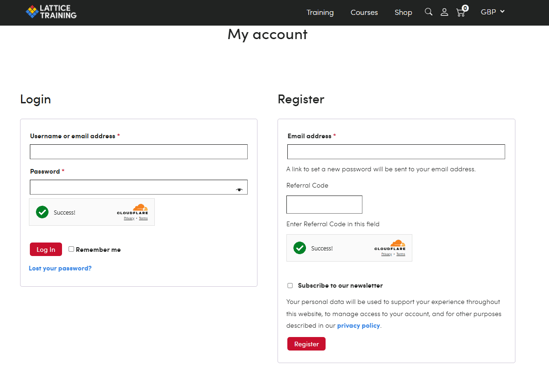
My account (https://latticetraining.com/my-account/) is where you can view your recent orders, manage billing addresses, and edit your password and account details. You can also update your subscription payment methods which is explained in this article.
You should be able to log in to an existing account using the link above or register a new one.
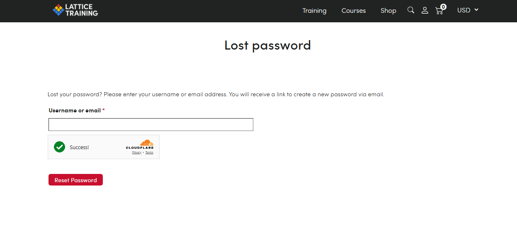
You can also choose 'lost your password' which will allow you to reset your password.
Please check your junk/spam if you are unable to find the reset email.
The Lattice Training app
You will need to set up a new password when logging into the Lattice Training app for the first time.
Please note that your login details for our website are not the same as those for your app login.
We have included the Lattice Training app setup instructions below.
Lattice Training app setup
-
Install the app through the App Store
-
For Android devices: https://play.google.com/store/apps/details?id=com.mylatticetraining.app
-
For iOS devices: https://apps.apple.com/us/app/lattice-training/id1607997399
-
-
If you have not logged in before then you will need to set up a password (follow the 'Forgot Password' instructions on the login screen). You can then log in using this email address and your password.
-
Have a look around! Bear in mind that only limited functionality will be available until your plan or LatticePlan is activated.
Forgotten your app password?
Select 'Forgot password' on the app login screen and we will email you a reset link.
If you have been locked out of your account due to too many incorrect password entries, you should be able to reset your password within an hr.
Manage your LatticePlan subscription via Paddle
If you signed up for a LatticePlan via our website, you can manage your subscription via Paddle, our payment partner.
-
Open a web browser and head to the Paddle Customer Portal (this link can be found at the bottom of your emailed receipts from Paddle)
-
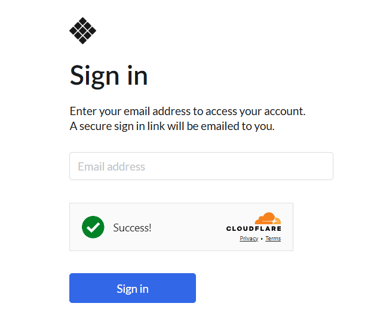
Enter your LatticePlan email address, and Paddle will email you a login link
-
Once logged in, you will see the option to manage and cancel your subscription
Online courses
If you have purchased one of our online courses, you'll receive an email from 'Lattice Training Education' with a link to set your password for our education platform
You will be directed to https://education.latticetraining.com/which is our education platform, where you will complete the course.
There is a 'Forgot Password' feature on the above link to reset your password.
Remote Assessments
You shouldn't need to log into our website to access any free or paid Remote Assessments. All assessments should be accessed through the link provided by Lattice via email.
If you have lost the email link, please get in touch.
Still need help?